이것은 ImgDialog.vue 의 코드.
내가~ 처음에 ~ 코드짤 때~
이미지가 여러 개인 경우만 생각을 하고~
4초마다 이미지 트랜지션되게 짜놓고~ 끝냈는데~
지금 Banner 페이지를 짜다보니까
얘네는 이미지가 한 장씩이라 autoplay가 되면 안된다~~
그래서 조건을 추가했다.
그냥 :붙여서 바인딩으로 변경하고
뒤에 조건 쓰면 끝! 간단!
원래는 이거였다.
autoplay
:transition-speed="250">
                    <vueper-slides
                        class="no-shadow"
                        @slide="onSlide"
                        arrows
                        bullets-outside
                        width="500px"
                        :slide-ratio="1 / 1"
                        :autoplay="images.length > 1"
                        :transition-speed="images.length > 1 ? 250 : 0">
                        <vueper-slide
                            v-for="(img, i) in images"
                            :key="img.fileSerl"
                            :image="img.fileUrl"
                            style="cursor: pointer;" />
<!--                        @click.prevent="close"-->
                    </vueper-slides>
와따~ 방금 Item.vue 는 이미지 슬라이드 가로세로 비율이 1이고
Banner.vue는 아무래도~ 가로가 더 길 확률이 높으니까 ~ 비율 바꾸려다가
비율 자체를 파라미터로 받으면 된다는 상무님 피드백을 듣고 수정하다가 깨닫게 된 사실인데
"1 / 1" 이렇게 안주고
그냥 "0.75" 이렇게 줘도 된다 ㅎㅎ신기 ..
비율을 각각 0.6과 1로 주었을 때.

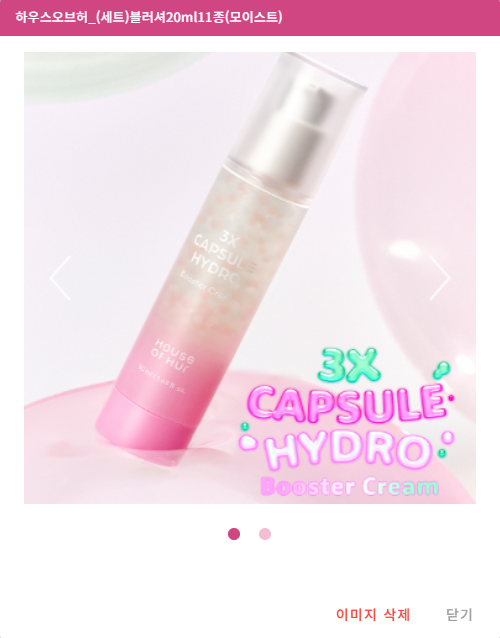
그리고 원래 기존에 ImgDialog 를 open하던 메서드는
fileSeq별로 fileSerl 들을 전부 가져와서 리스트로 슬라이드하기 때문에 ....
Banner는 fileSeq가 1로 고정이라서 .맞지 않아... 재사용 못해 ...... 그래서 메서드 하나 더 만들었다.
// 새로 만든 openOnlyOneImg 메서드
// dialog 열기(fileSerl 에 해당하는 파일이미지 한 개 조회)
const openOnlyOneImg = async (workTypeParam, fileSeqParam, fileSerlParam, itemName = "이미지") => {
    dialogTitle.value = itemName;
    isOpen.value = true;
    currentWorkType.value = workTypeParam;

    try {
        const res = await axios.get(`../../file/getFileSingle.do?workType=${workTypeParam}&fileSeq=${fileSeqParam}&fileSerl=${fileSerlParam}`);

        if (res.data) {
            const f = res.data[0];
            images.value = [{
                fileUrl : f.fileUrl,
                workType : workTypeParam,
                fileSeq : f.fileSeq,
                fileSerl: f.fileSerl
            }];
        } else {
            images.value = [];
        }
    } catch (e) {
        consoleLog("이미지 로드 실패", e);
        images.value = [];
    }
};
// 기존 open 메서드
// dialog 열기 (fileSeq에 해당하는 파일 리스트 조회)
const open = async (workTypeParam, fileSeq, itemName = "이미지") => {
    dialogTitle.value = itemName;
    isOpen.value = true;
    currentWorkType.value = workTypeParam;

    try {
        const res = await axios.get(`../../file/getFileImages.do?workType=${workTypeParam}&fileSeq=${fileSeq}`);
        if (res.data && res.data.length) {
            images.value = res.data.map(f => ({
                fileUrl : f.fileUrl,
                workType : workTypeParam,
                fileSeq : f.fileSeq,
                fileSerl: f.fileSerl
        }));
        } else {
            images.value = [];
        }

    } catch (e) {
        consoleLog("이미지 로드 실패", e);
        images.value = [];
    }
};
'웹 개발 > [KLOZ] 웹 프로젝트' 카테고리의 다른 글
| [WebOrder] PDF 출력 Controller, vue 코드 (0) | 2025.12.09 |
|---|---|
| [WebOrder] Vuetify scrollable, 스크롤 시 버튼 고정 방법 (0) | 2025.11.26 |
| [WebOrder] Vue컴포넌트에서 세션 (session) 가져다 쓰기 / 백단에서 가져다쓰기 (0) | 2025.11.16 |
| [WebOrder] 다국어 처리 (VueDatePicker, IBSheet) (0) | 2025.10.21 |
| [WebOrder] 이미지 출력 (Vue dialog, IBSheet) (0) | 2025.09.30 |